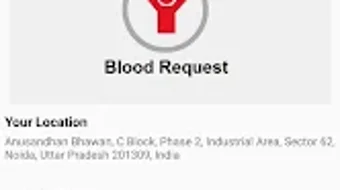

Download eBloodServices – blood donation, blood request, blood bank locator, blood stock search, emergency blood, free blood request app, red cross app, blood donation app, mobile blood request
Overview
eBloodServices is a mobile application developed by the Indian Red Cross Society (IRCS) to streamline the process of requesting blood components across India. Designed with a focus on public health accessibility, the app enables citizens to initiate blood component requests directly from their Android devices. It serves as a critical tool for individuals in urgent medical situations, as well as for those seeking to support blood donation efforts. The application is particularly useful for patients, caregivers, and healthcare professionals who require timely access to blood supplies.
By connecting users with the IRCS National Headquarters in Delhi, eBloodServices facilitates a centralized system for blood requests, enhancing coordination between donors and recipients. The app also supports the search for available blood stock and upcoming blood donation camps at various IRCS blood banks, allowing users to locate nearby resources efficiently. This functionality is especially valuable in rural or underserved areas where access to blood services may be limited.
Target users include individuals facing medical emergencies, family members of patients, and volunteers involved in blood donation campaigns. The app’s free availability on the Google Play Store ensures broad accessibility, aligning with IRCS’s mission to promote health and humanitarian aid. While the developer did not provide additional details about the app’s background beyond its affiliation with IRCS, its purpose is clearly rooted in public service and emergency response.
Key Features & Capabilities
- Blood Component Request – Users can submit requests for specific blood components through the app, enabling faster coordination with the IRCS National Headquarters.
- Blood Stock Search – The app allows users to search for available blood stock by selecting a state or district, helping identify nearby blood banks with required blood types.
- Donation Camp Locator – Integrated functionality enables users to find scheduled blood donation camps across different regions, supporting both donor recruitment and recipient access.
- Direct Contact Options – For selected blood banks, users can call, send an email, or navigate to the location using built-in maps, improving communication and logistics.
- Request Status Tracking – Users can monitor the progress of their blood request, ensuring transparency and timely updates throughout the process.
These features collectively address the challenges of blood scarcity and delayed access during emergencies. For example, a patient’s family member in a remote district can use the app to locate a blood bank with the required blood type and initiate a request without relying on intermediaries. Similarly, a volunteer can use the app to promote blood donation by sharing camp details with their community. The app’s design emphasizes practicality and real-world usability in urgent health scenarios.
User Interface, Workflow & Performance
The user interface of eBloodServices is designed for simplicity and clarity, prioritizing essential actions such as requesting blood, searching for stock, and locating camps. Navigation is structured around core functions, allowing users to access key features with minimal steps. The layout appears optimized for mobile screens, with intuitive icons and clear labeling.
Workflow efficiency is enhanced by a streamlined request process, where users can select blood type, state, and district with a few taps. The ability to track request status provides a sense of control and reduces anxiety during critical moments. While the developer did not specify resource usage details, the app’s 25.4 MB size suggests a lightweight footprint, likely resulting in stable performance on mid-range Android devices.
Performance observations are based on general software behavior patterns. The app does not appear to include complex animations or background processes that could impact battery life or memory usage. Stability is expected to be consistent, given its focused functionality and single-purpose design. However, exact performance metrics were not provided.
Compatibility & System Requirements
eBloodServices is available for Android devices, with the current version being 1.0. The application has a file size of 25.4 MB, indicating a compact installation that should not significantly impact storage space on most Android smartphones.
Platform compatibility information is limited. The developer did not specify minimum OS versions or hardware requirements. As a result, it is unclear whether the app supports older Android versions or low-end devices. Users are advised to check compatibility through the Google Play Store. Exact system requirements were not listed, and no information was provided about GPU, RAM, or CPU specifications.
Pros and Cons
Pros
- Free to download and use, ensuring accessibility for all users.
- Direct integration with IRCS National Headquarters for centralized blood requests.
- Comprehensive blood stock search by state and district.
- Real-time tracking of blood request status.
- Supports multiple contact methods (call, email, navigation) for blood banks.
Cons
- Only available on Android, limiting access for iOS users.
- Exact system requirements were not specified.
- App functionality is restricted to IRCS blood banks and does not cover private or regional blood centers.
- No offline mode or data caching for critical features.
- Version 1.0 suggests early-stage development with potential for future updates.
FAQ Section
Is eBloodServices available for iOS devices?
The app is currently only available for Android. There is no official iOS version released as of the current release date.
Is the app safe to use?
Yes, eBloodServices is developed by the Indian Red Cross Society (IRCS), a trusted humanitarian organization. It is available through the Google Play Store, which provides security checks for apps.
Can I use eBloodServices without an internet connection?
The app requires an active internet connection for all core functions, including blood requests, stock searches, and status tracking. Offline usage is not supported.
How often are blood stock and camp details updated?
Update frequency was not specified by the developer. Information is likely updated in real time by IRCS staff, but users should verify details directly with blood banks when needed.
What type of license does eBloodServices have?
The app is free to download and use. The licensing model is not explicitly stated, but its public service nature suggests a non-commercial, open-access policy.
Final Thoughts + CTA
eBloodServices stands out as a practical and mission-driven tool that addresses a critical need in India’s healthcare ecosystem. Its ability to connect users with blood components through a centralized system, combined with real-time tracking and search capabilities, makes it an essential resource during emergencies. The app’s free availability and focus on public service enhance its value, particularly for individuals in remote or underserved regions.
While its Android-only availability and lack of detailed system requirements are limitations, the app’s core functionality is well-executed and purpose-built. It is especially beneficial for patients, caregivers, and community volunteers who rely on timely access to blood services. For those in need of a reliable, secure, and easy-to-use mobile solution for blood requests, eBloodServices delivers on its promise.
Download eBloodServices now to access vital blood services from your Android device.







